9 min read
- react
- tailwindcss
- react-router
- vite-plugin-pwa
- vite
- pwa
- mobile
- psychology
- self-reflection
- self-knowledge
- self-awareness
- mindfulness
- journaling
Pelky – Psychological tracker made with React
Creating mobile progressive web app (PWA) tracker with React, React Router and TailwindCSS.
Visit: https://pelky.leszczak.pl
- Published: 06/04/2025
- Last modified: 14/04/2025
TLDR
 You may want to track your job satisfaction, sense of having a purpose in life, levels of happiness, overstimulation,
sadness, and many more psychological factors on a daily basis. (why?)
You may want to track your job satisfaction, sense of having a purpose in life, levels of happiness, overstimulation,
sadness, and many more psychological factors on a daily basis. (why?)
In Pelky you add these factors (items) yourself, choose a scale for each and later assess and track how they (you) change with time. You may also add notes to individual assessments saving your observations and expanding your self-knowledge.
In the future, it’s planned to add more passive information to the items. Examples of it are: charts visualizing the changes in time, matrix of statistically significant correlations between different items and some kind of aggregate (note and assessment history) analysis with AI.
Why?
The process of tracking psychological factors through self-assessment combines the benefits of mindfulness, self-reflection, and journaling into a structured practice. Done regularly, the practice would enhance one’s self-awareness and emotional regulation among other benefits, creating a foundation for improved psychological health 1 2. Being aware of and understanding oneself enhanced by self-reflection itself often results in the ability to feel more in control of oneself and one’s life. It also potentially improves relationships and reduces stress 2 3. Regular mindfulness practice also showed to promote self-regulated behavior, positive emotional states, and improved sleep quality across various populations 4 5 6 7 8. Complementing these practices, journaling in the form of users adding reflective notes to their assessments, provides an opportunity to process emotional experiences and create meaningful narratives about one’s life 9 10. Studies indicate that such reflective writing helps individuals modulate emotional intensity and create coherence from their experiences 10.
Combination of these elements provides a powerful framework for psychological self-care that can be personalized to individual needs and regularly practiced in daily life.
In my own experience as a psychologist and a self-tracking person, this kind of practice helps to identify problems in life before they become ones that overwhelm us and take control over our lives. It develops emotional intelligence that helps in all areas of social life. In the professional one, it’s easier to sense and avoid burn-out. It makes it easier to cultivate passions and activities that let us flourish and way more…
Even if it doesn’t satisfy or convince you to use the app, I’m still glad you read and learned about it. It’s definitely a good thing to know all that.

I’ve tracked many things throughout the years and used many apps (free and paid) to do so, and it never stuck with me for longer than maybe a few weeks. I didn’t like the flow of those apps, their overly complicated layouts or the fact that some of the simple ones lacked seemingly basic functionalities. It didn’t feel right to do the tracking or journaling in the ways those apps promoted it to me. As a psychologist and scientist, I always knew they were doing something good but also that they were not doing it well enough for me.
I knew the potential benefits of practicing the kind of self-assessment I briefly described, and I wanted an app that I myself would like to use and could iterate on and improve. And that’s how Pelky started to be developed.
Mission and preparation
The title sounds and looks better with the “mission” at the beginning, but it’s the process of preparation consisting of gathering insights and ideas that is what started it all. That’s why the order changes in this section, and first we’ll learn about how the mission even came to be, then the mission itself.
Preparation
 Before I started coding anything, I went through many pages of ideas in text, drawings and combinations of the two.
At the same time, I started to “track myself” with the app I used to use most recently and the classic technique
of pen and paper to see what would I actually want and need from such an app.
Before I started coding anything, I went through many pages of ideas in text, drawings and combinations of the two.
At the same time, I started to “track myself” with the app I used to use most recently and the classic technique
of pen and paper to see what would I actually want and need from such an app.

Besides my own ideas, I’ve talked to other people and potential users of this app about their experiences tracking their lives and themselves. I gathered insights that further helped me prepare the logical shape of the app. It, for example, moved away from wanting to be a simple daily mood tracker to a more complex psychological tracker where user has the autonomy to choose what (factors) to track and how (scales) to do so.
After a full week, I started coding some of the list elements that I’ve been sure of. Nonetheless, the preparation process was still ongoing. It continued for almost two weeks, and after the first coded mock-up/template existed, the development stage started where the low-fidelity mockups became a rarity.
Mission
The process of gathering insights guided me to define the problem or the mission of the project. The app’s definition changed a few times during the preparation and iteratively still changes to this day, but its foundations stayed the same.
You could already learn about the why’s and know the psychological benefits of described practices or the framework as a whole. I personally want to have a way to track psychological changes in my life to better maintain, and improve my mental health. I want to be able to practice that anywhere and anytime. I want it to be quick and intuitive as well as customizable, simple and complex enough at the same time to not be too limited in its functionality. I want it to combine mindfulness, self-reflection, and journaling in the one practice of self-tracking, and therefore, the mission of the project became to:
Create a mobile progressive web app that combines practices of mindfulness, self-reflection and journaling in a single one of intuitive and user-friendly self-tracking.
Design and development foundations
You’ll first read about the design strategy, and then I’ll describe the tech stack chosen to develop the app – the what and why.
Design
Those who use iOS on their daily basis will see that Apple’s design has inspired this app’s appearance and functionality. The list view, its animations, edge actions and other elements in Apple’s apps are, in my opinion, very well-made in the context of User Experience. Going with Jakob’s Law I’ve decided to base my solutions on the ones users are most certainly already familiar with.
The choice described above combined with the mission statement has allowed me to focus specifically on mobile devices and users’ interactions with them. It also “made my job easier” allowing me to only deal with touch input/events excluding the desktop devices at least in making of the first app iterations.
Elements such as dialog components and toast notifications have been additionally inspired by modern mobile designs. At every stage of the design process, User Experience has been at the center of it next to the knowledge of limitations concerning the tech stack being chosen.
Tech stack
I knew I’d be building a Single Page, Progressive and Mobile Web Application, so I’ve decided to go with React. While I was – and still am – looking for a new job, React is the most possible to help with that. I have used it at work but have never done so for my own project. I seem to learn best when I do things for myself, so improvement in the React space would also possibly take place. All those reasons were good enough for me to go this way.
Knowing from the preparations and first sketches that there will be more than just one view, I’ve decided to also add React Router to the stack for better control over the view changes. The popularity of this routing solution and its potential in React ecosystem is yet another reason for its addition.
The app’s design and styling are founded on TailwindCSS. It’s again based on my previous experiences, popularity of the framework and potential in job finding. Tailwind’s utility-first approach has become my favorite in styling anything, so it was a no-brainer.
The app
This section and its two segments provide screenshots of the app and description of its current functionalities.
Screenshots
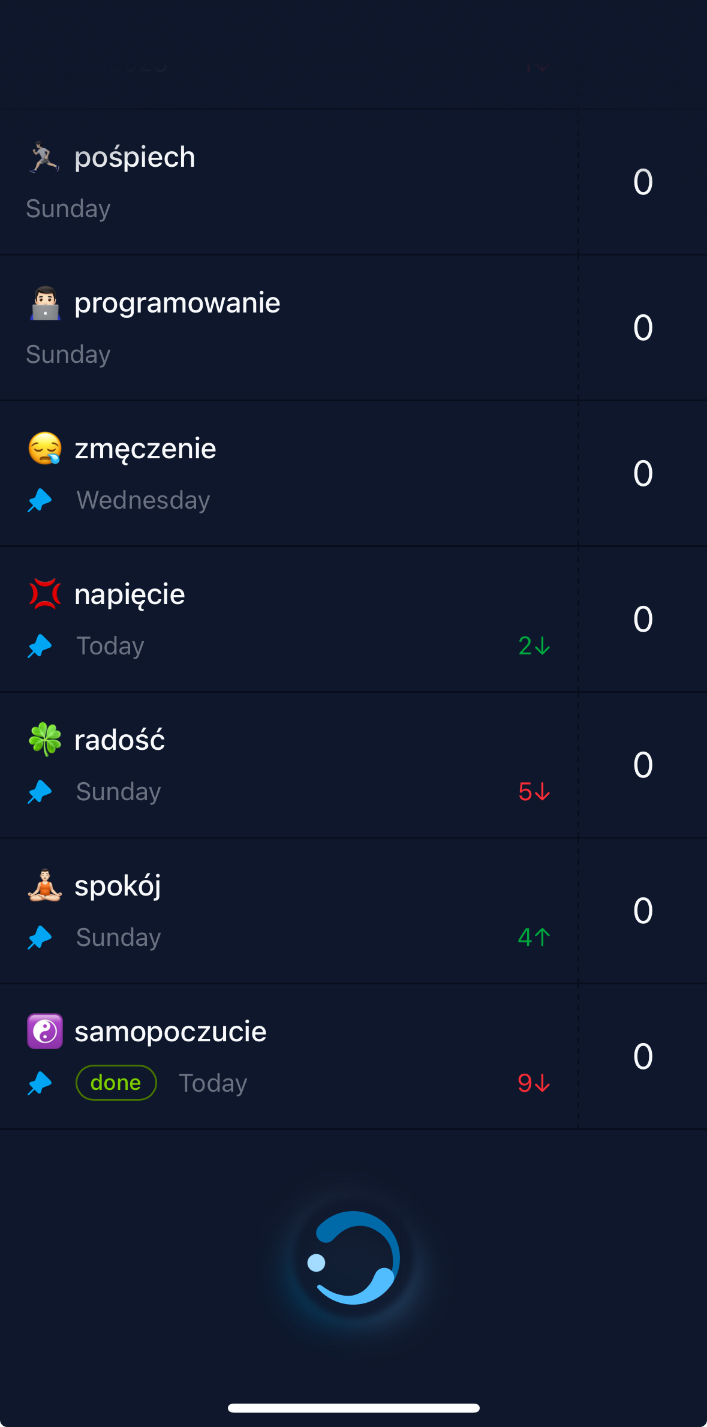
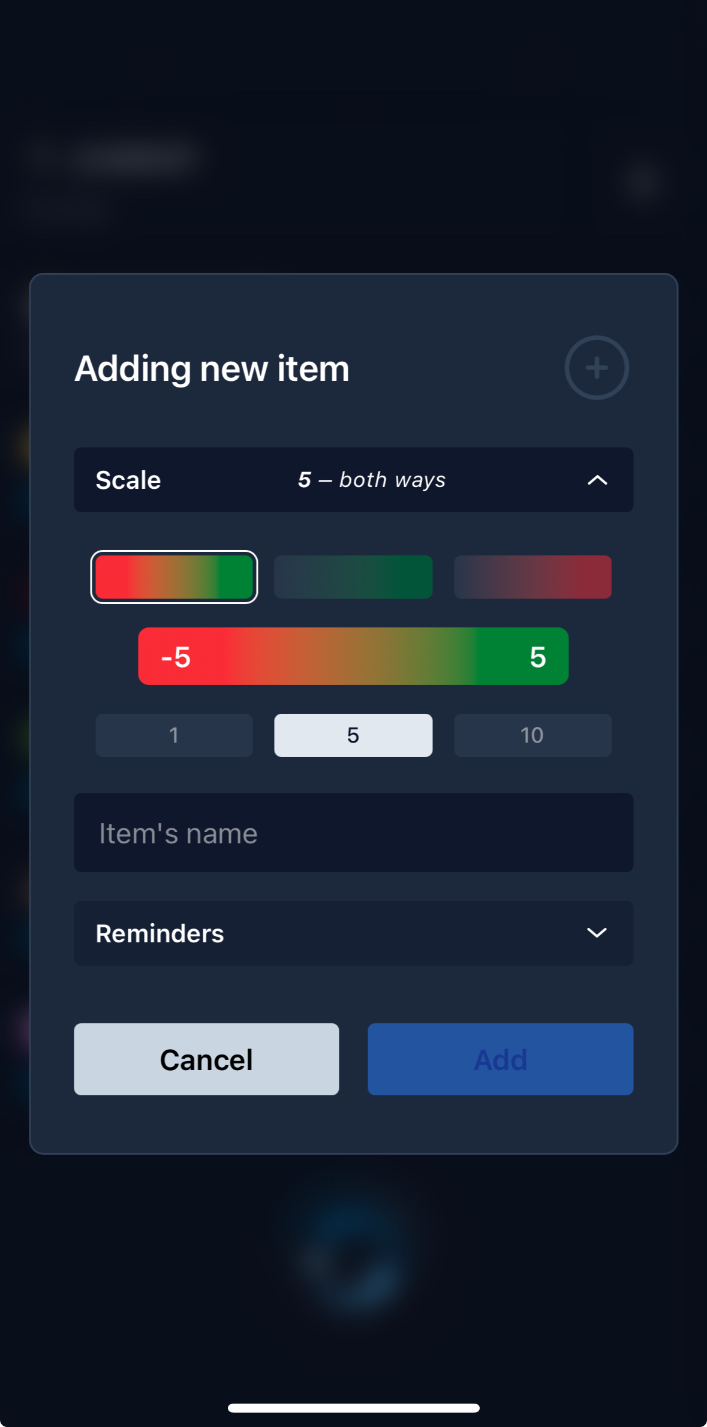
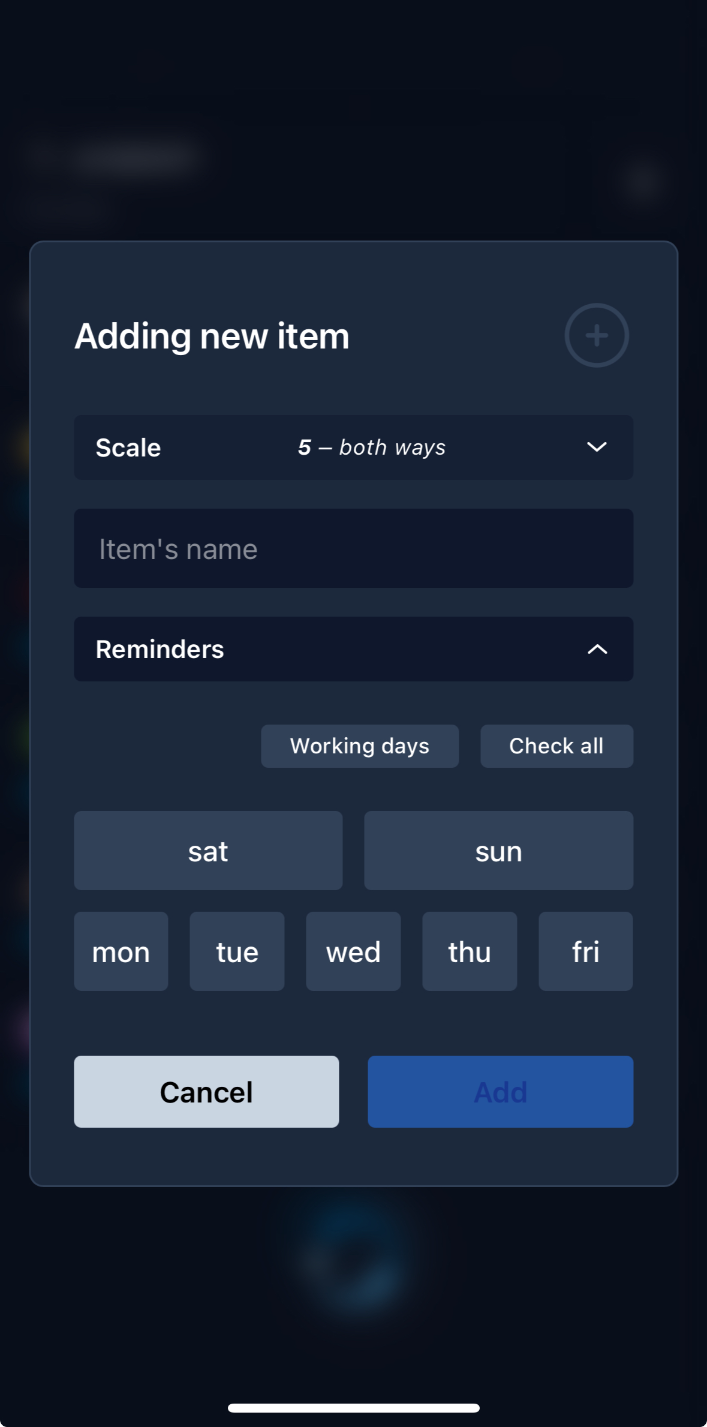
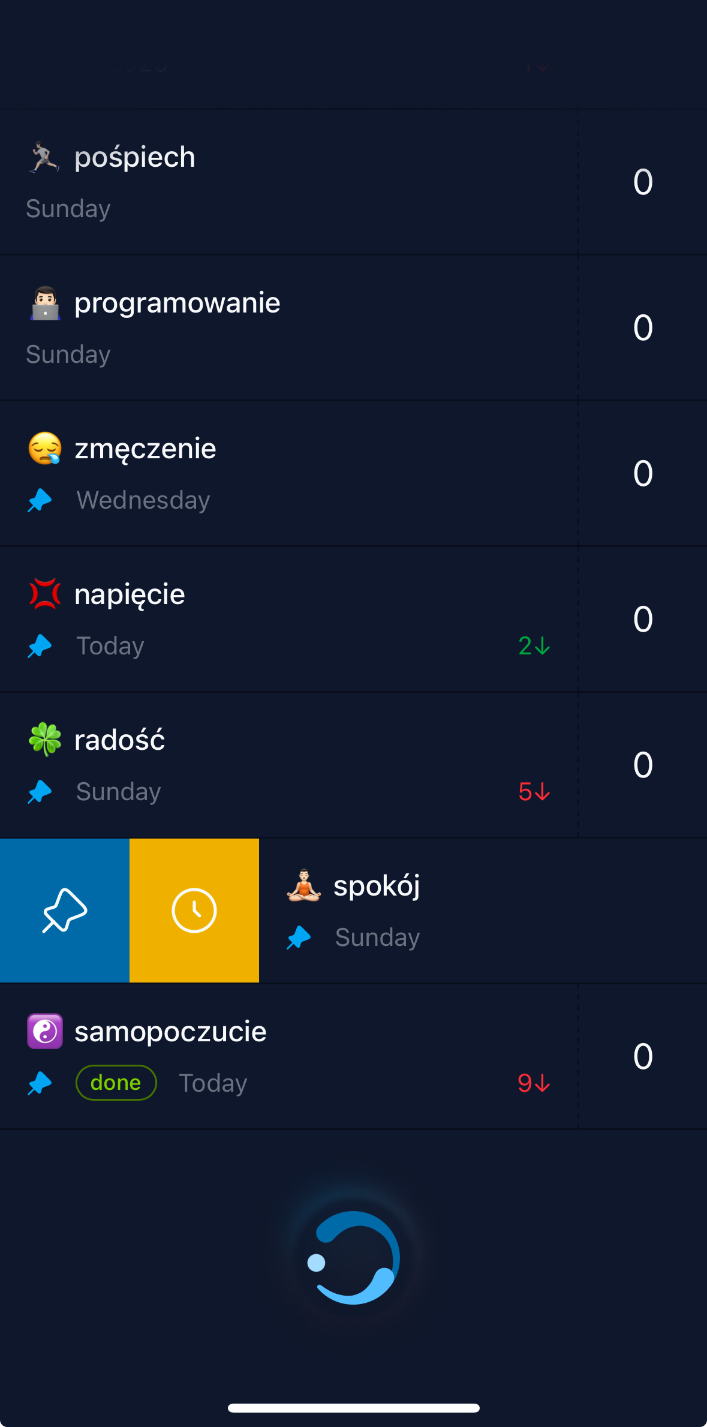
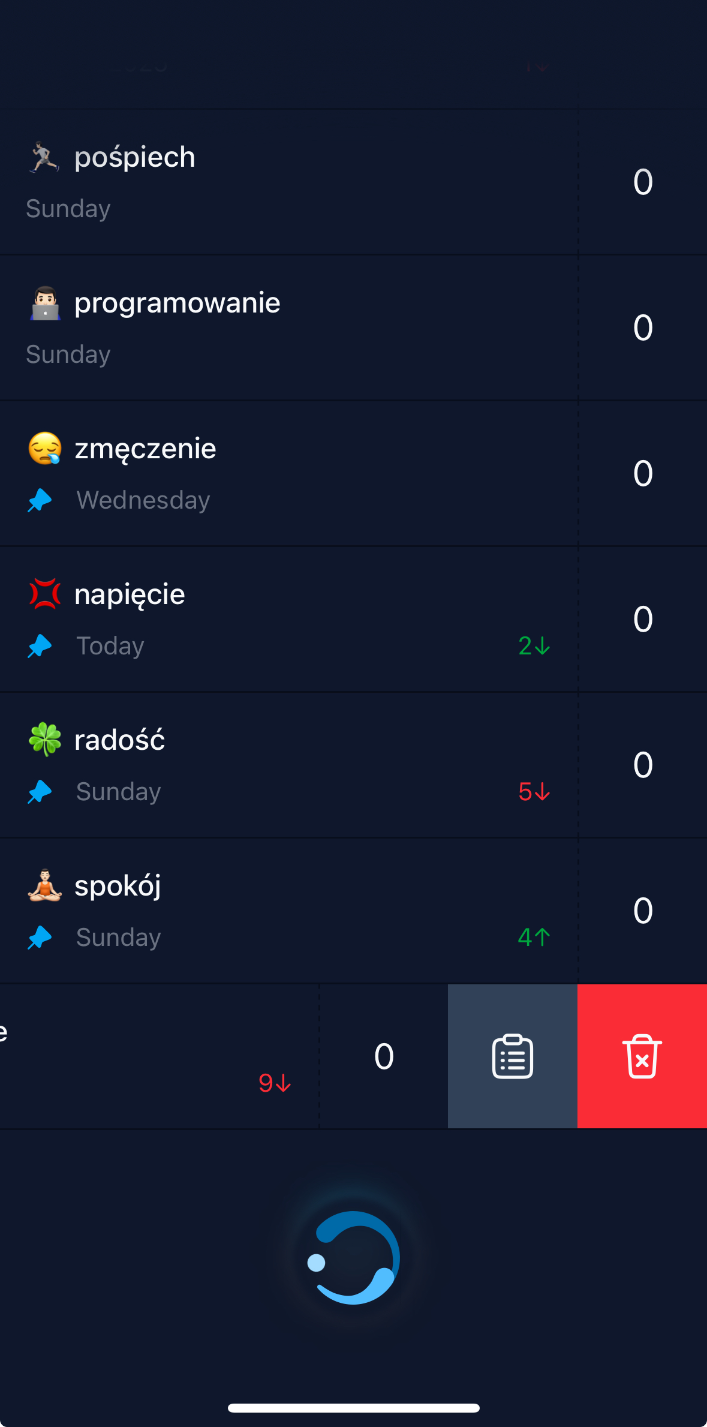
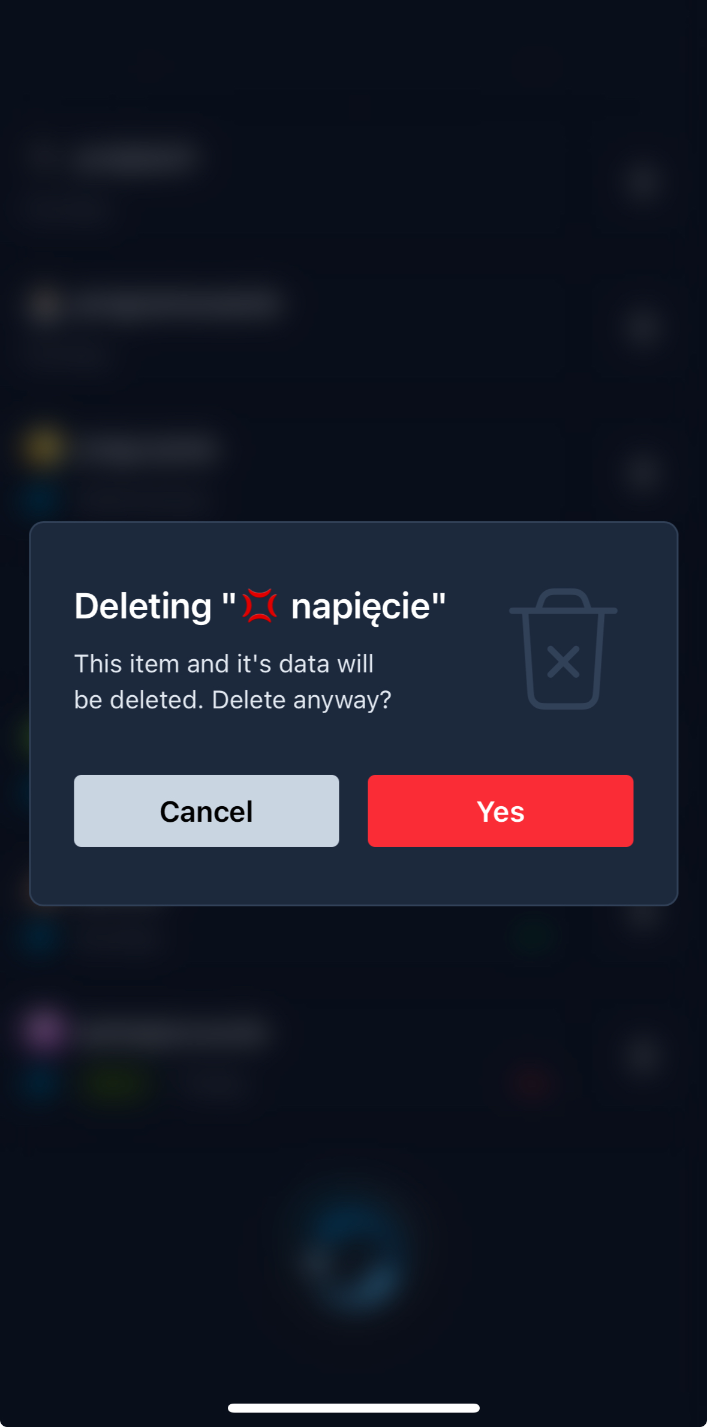
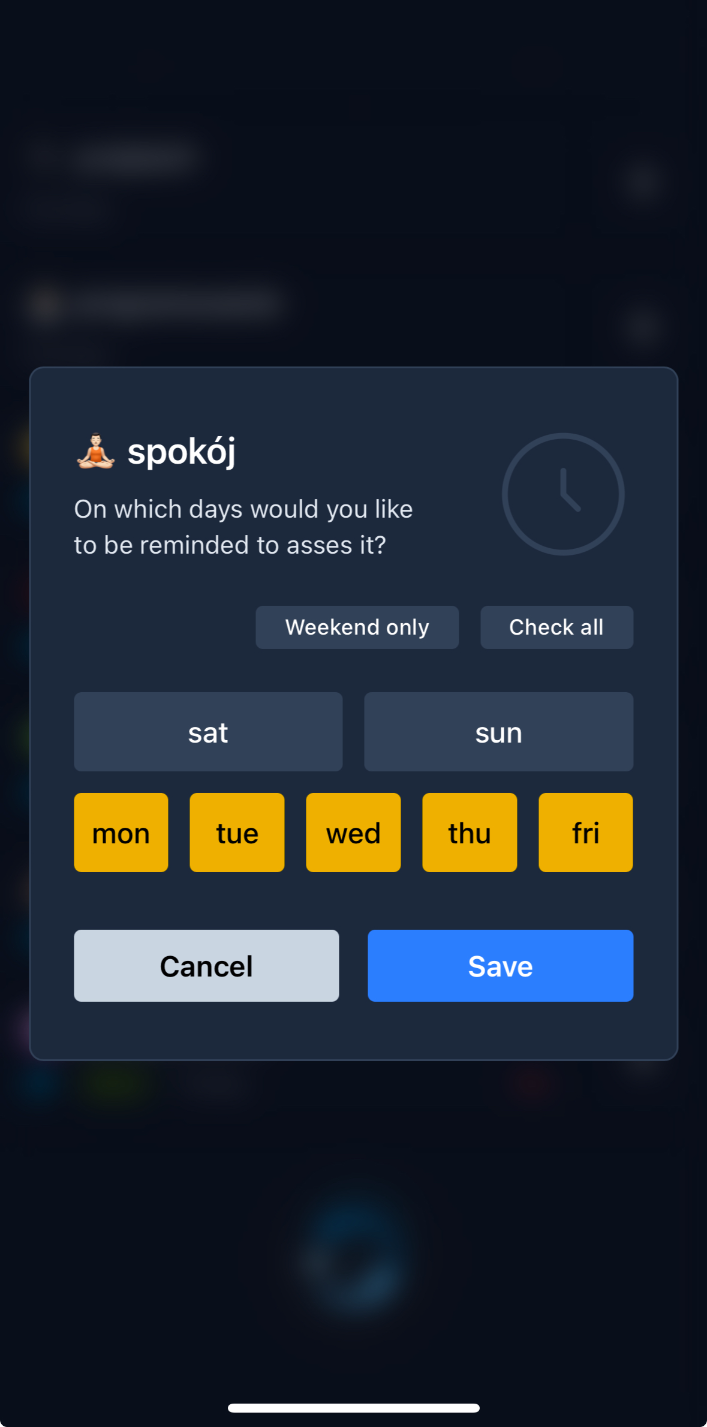

Alert: These are example screenshots that might be a bit outdated considering current briskly ongoing development.
Functionality
The current version of the app allows users to:
- Add custom items (psychological factors to later be assessed) with the possibilities to:
- Set day-based reminders for the item, and
- Choose a scale for assessments with one of three max values (1, 5 or 10) as well as its direction (positive, negative or both ways)
- Edit (name, reminders, pinned status *) and delete items
- Assess items on a previously selected scale
- Add notes to assessments while they take place
- Track previous assessments, their values and associated notes
- Edit (only notes **) or delete previous assessments
* Changing item’s scale is not possible at the moment. I’m analyzing potential psychological side effects of making that possible and figuring out how I would deal with this item’s past assessments after the potential scale change, especially thinking of the future statistics functionality.
** Changing previous assessment’s value will potentially never be possible. Users can delete them and add the corrected ones again if needed but “changing what we previously instinctively felt was right” doesn’t feel right to do psychologically. It’s possible that in future iterations this will be made possible but only (1) for the last assessment, and (2) if it was done today.
What’s next
For now, I fix minor issues and make small styling adjustments based on my own usage and other users’ feedback. I also plan to continue using and improving the app. Some ideas already seem to be in the right spirit like, for example, more passive information about the items in the shape of:
- charts visualizing the assessment changes in time,
- matrix of statistically significant correlations between different items, and
- some kind of aggregate (note and assessment history) analysis that could be done with AI.
- loading...